Direct Deposit Switch
Switch your Direct Deposit in minutes with the CNB app.
Move your paycheck safely and securely without hassle. Our mobile app simplifies the process and gives you more time to focus on what matters most!
Quick and Easy
Get rid of paperwork and hassle. CNB's app automates the entire process, allowing you to set up or switch Direct Deposits in minutes.
Safe and Secure
Your information is protected with state-of-the-art encryption, ensuring your data is safe and secure every step of the way.
Automated Payments
Save time with Direct Deposit and avoid waiting for your checks to clear. Get access to your direct deposit up to a day faster with Early Pay.
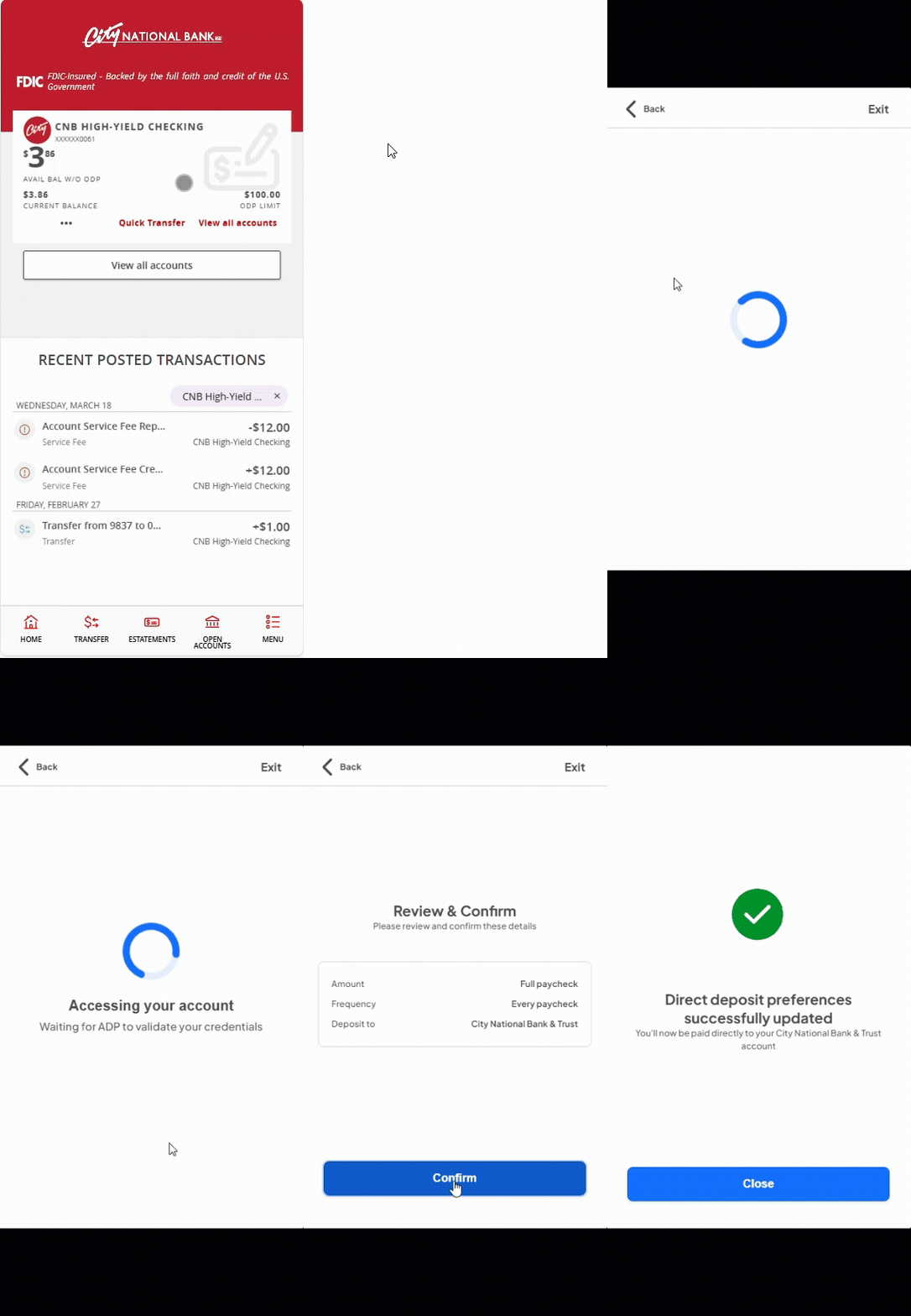
Setting up your Direct Deposit
Navigation Menu
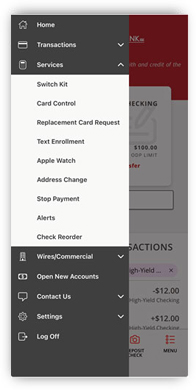
On the side menu, select Services then Switch Kit.
Pre-Match

Unique identifiers such as social security number (SSN), telephone number, and zip code are matched across payroll platform databases to find eligible accounts.
Amount

Users can select to change the whole amount or enter a specific dollar amount.
Success

Allow 1-2 payroll cycles for changes to take effect.
Frequently Asked Questions About Direct Deposit Switch
There is no cost to you.
Yes, Direct Deposit Switch does offer coverage for Social Security Payments, which are generally handled in the Automated switch or search for “Social Security.”
You can search by payroll service providers (like ADP or Paychex), or for your employer. If your employer uses a Direct Deposit Switch supported provider, they will be listed. If your employer or payroll service provider isn’t listed, Direct Deposit Switch can produce a PDF with account details that can be provided to your employer to help generate the switch.
No, only personal deposit accounts are supported.
Yes, you can update the existing setup or add additional paychecks to the account.
No. You may perform a full switch, which switches your entire paycheck. You also have the option to do a partial switch, which may be a fixed amount or a percentage to your new account.
City National Bank customer support (866-385-3444) can access the Direct Deposit Switch dashboard and check the status. You should also contact your payroll department. Some employers may have additional security or verification procedures where you must make an additional change.
No, the link provided to initiate direct deposit switching is typically single-use and is intended for completing the initial switch. If you want to cancel, you will log in directly to your payroll service.